
How do I send a campaign preview?
Send the saved draft through a real mailbox and check how it renders with a contact's data.
2 min read
A preview is a real email sent from one of your mailboxes. It uses your daily send budget and cannot be recalled.
Send a preview
Section titled “Send a preview”- Save the campaign draft.
- Select Show preview in the page header.
- Check the Desktop and Mobile views.
- Select Send test email.
- Choose a contact under Merge fields from.
- Enter up to 5 addresses under Test recipients, or leave it empty to send to the sending mailbox.
- If the campaign has subject variants, choose the variant.
- Select Send preview.
The preview always uses the last saved message. Save again before testing new edits.
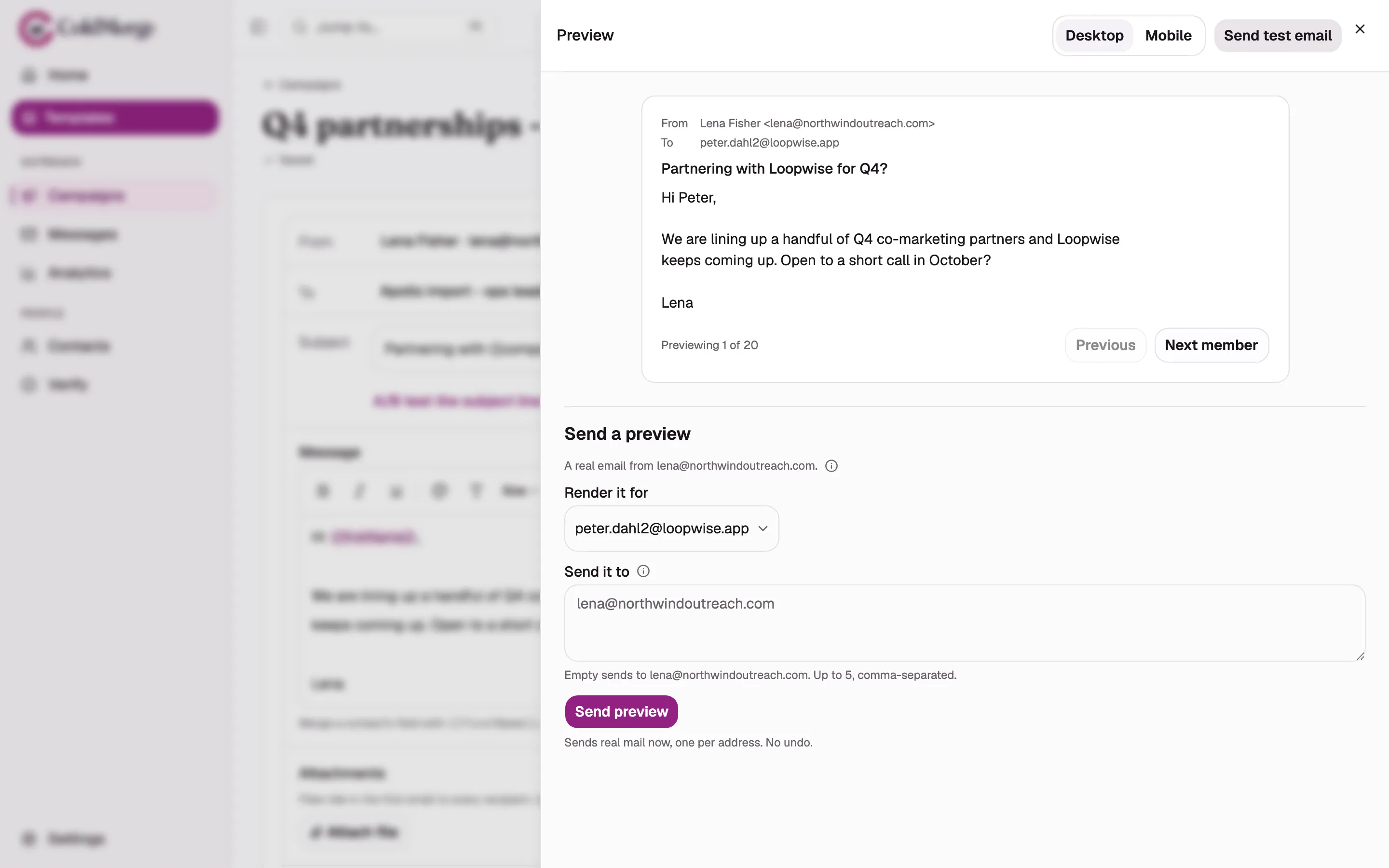
- Switch between desktop and mobile previews.
- Choose the contact used to render merge fields.
- Enter the address that should receive the preview.
- Select Send preview to send the test email.
Limits and cost
Section titled “Limits and cost”| Rule | Limit |
|---|---|
| Destinations | 5 addresses per preview request |
| Campaign previews | 20 in a rolling 24-hour period |
| Workspace previews | 50 in a rolling 24-hour period |
| Preview requests | 20 per hour across the workspace |
| Send budget | 1 send for each successful destination |
ColdMerge refuses the whole request when the chosen mailbox’s daily budget cannot cover every destination. Suppressed addresses never receive previews.
If one address fails after earlier addresses have succeeded, the receipt names both groups. Retrying can send a second copy to an address that already received the first attempt.
Choose the contact and destination
Section titled “Choose the contact and destination”Merge fields from chooses whose merge data appears in the message. The picker shows the first 25 contacts on the campaign’s list. Use Previous and Next member to move through the rendered preview.
Test recipients controls where the test arrives. Use your own test addresses. A preview follows the campaign’s footer and your account’s unsubscribe header. Its unsubscribe links are safe stand-ins and do not suppress a real contact.
The receipt reports where the preview went, failed destinations, and any merge tokens that rendered empty. Empty fields do not block a preview. Add a fallback before launch when a field may be missing.
If the preview is refused
Section titled “If the preview is refused”| Problem | What to do |
|---|---|
| No list or the list is empty | Choose a populated list and save. |
| No subject or message | Complete both fields and save. |
| No mailbox can send | Reconnect a mailbox or wait for Gmail’s hold to end. |
| A destination is suppressed | Use another test address. There is no override. |
| The account has no active plan | Send only to your verified account address or the sending mailbox itself. |
Preview sending is available only from a saved draft on a computer. For a campaign that has already started, select Duplicate to a new draft and preview the copy.