
Features
Send a researched campaign from your own Gmail
Prepare a list, preview personal details and send through a connected Gmail account while handling conversations in Gmail.
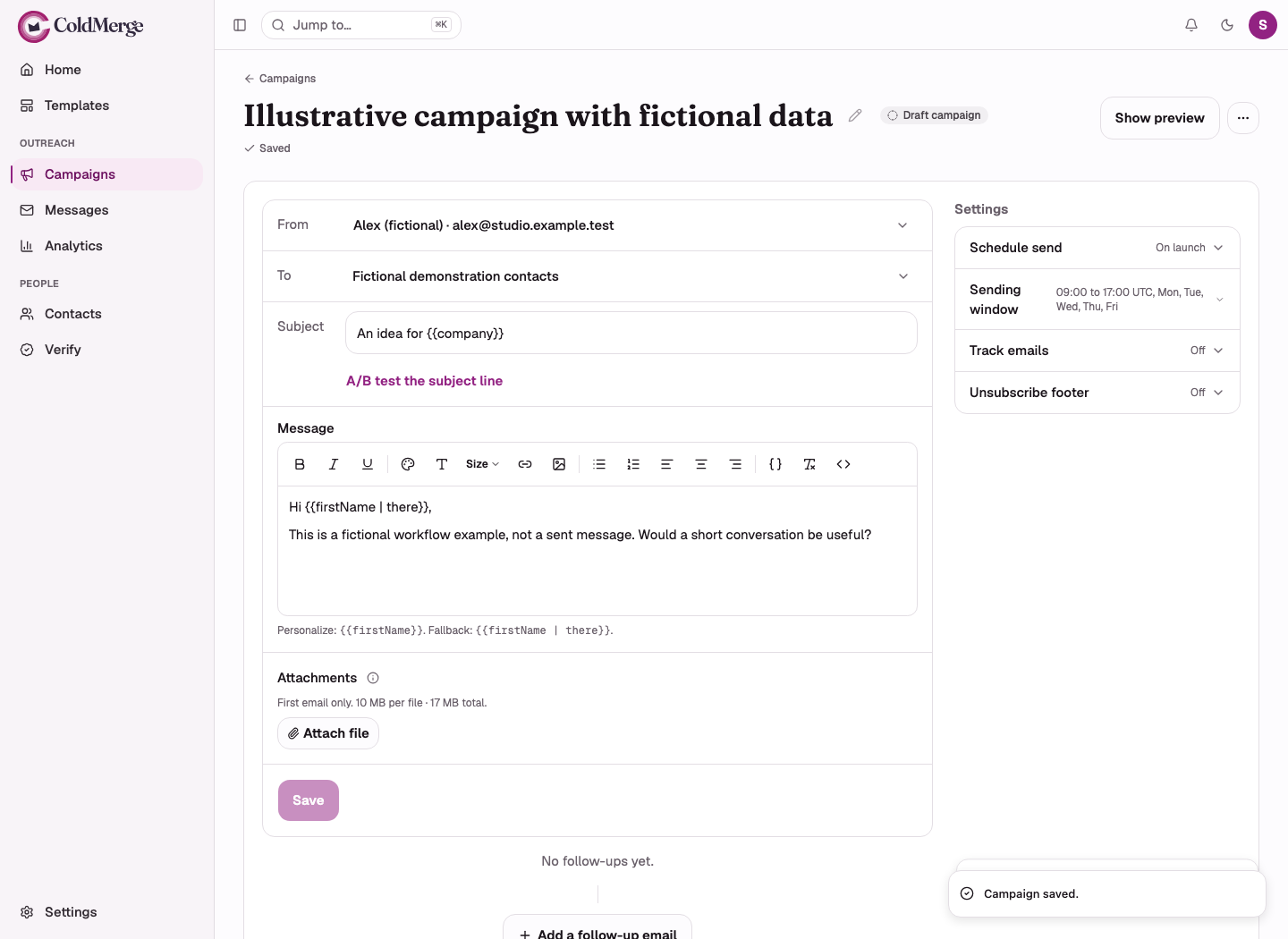
Turn a chosen list into a campaign you can review before sending. ColdMerge sends through your connected Gmail account using Google’s API. Replies return to that account, where you continue the conversation.
See the first-campaign walkthrough.
Keep preparation separate from the conversation
Prepare your recipient list, write the introduction and preview the details in the campaign workspace. Choose the sending account deliberately, so the recipient hears from the person who will answer.
You can write the follow-ups in the same campaign. Once ColdMerge detects a human reply, it stops the remaining steps for that person in that campaign.
The workspace organizes the sending work. Gmail remains the place to read and answer the conversation.
A focused campaign, prepared before launch
Use this preparation record before you schedule:
| Check | What you should be able to show |
|---|---|
| Audience | A source and a relevant reason for contacting each person, with previous opt-outs excluded. |
| Message | One clear offer and an ask the reader can answer without guessing what happens next. |
| Personalization | A saved preview for a complete row, a missing-name row and a company name with punctuation. |
| Sender | The connected Gmail account whose owner will read and answer replies. |
| Sending plan | Available mailbox budget, a suitable window and room for planned follow-ups. |
| Stop handling | Enabled recipient controls and someone responsible for recording reply requests to stop. |
The first-campaign walkthrough takes you from a prepared list to launch. For field mistakes, check the merge-token reference and preview the saved draft.
Imagine a consultant offering a review of onboarding emails. She selects a short list of companies whose signup flows she has researched.
Her list includes a company name and a specific observation for each contact. She previews the message against those rows, repairs incomplete details and chooses her own connected mailbox.
She schedules the campaign within a window when she can read replies. If a prospect asks for an example, she answers in Gmail rather than letting a generic reminder carry on.
This is an illustrative workflow, not a customer result.
Make account access clear
ColdMerge requests Gmail send and read-only access, plus basic Google account information. Read-only Gmail permission covers reading mail, not only replies to a single campaign. ColdMerge uses read access for reply and bounce detection.
Read how to connect Gmail before granting access.
What to check before you send
ColdMerge supports Gmail and Google Workspace, not Outlook accounts or SMTP sending that bypasses Gmail’s limits. Sending remains subject to account availability, provider rules and ColdMerge’s budgets.
A Sent result means Gmail accepted the message. It does not prove inbox placement. Reply detection can be delayed or miss a conversation that cannot be matched.
Opt-out controls start off. Review the footer, header and suppression workflow before launching appropriate messages.
Can I keep answering in Gmail?
Yes. Replies remain in the sending account. Keep monitoring that mailbox, including Spam, because detection cannot safely match every incoming message.
Prepare your first campaign and review the sending constraints.
No card required to start. Invited testers get the same 14-day free trial, and the plan is $0.99 a month if you subscribe.