How do follow-up sequences work?
Add timed follow-ups that stay in the first email's Gmail thread and stop after a reply.
2 min read
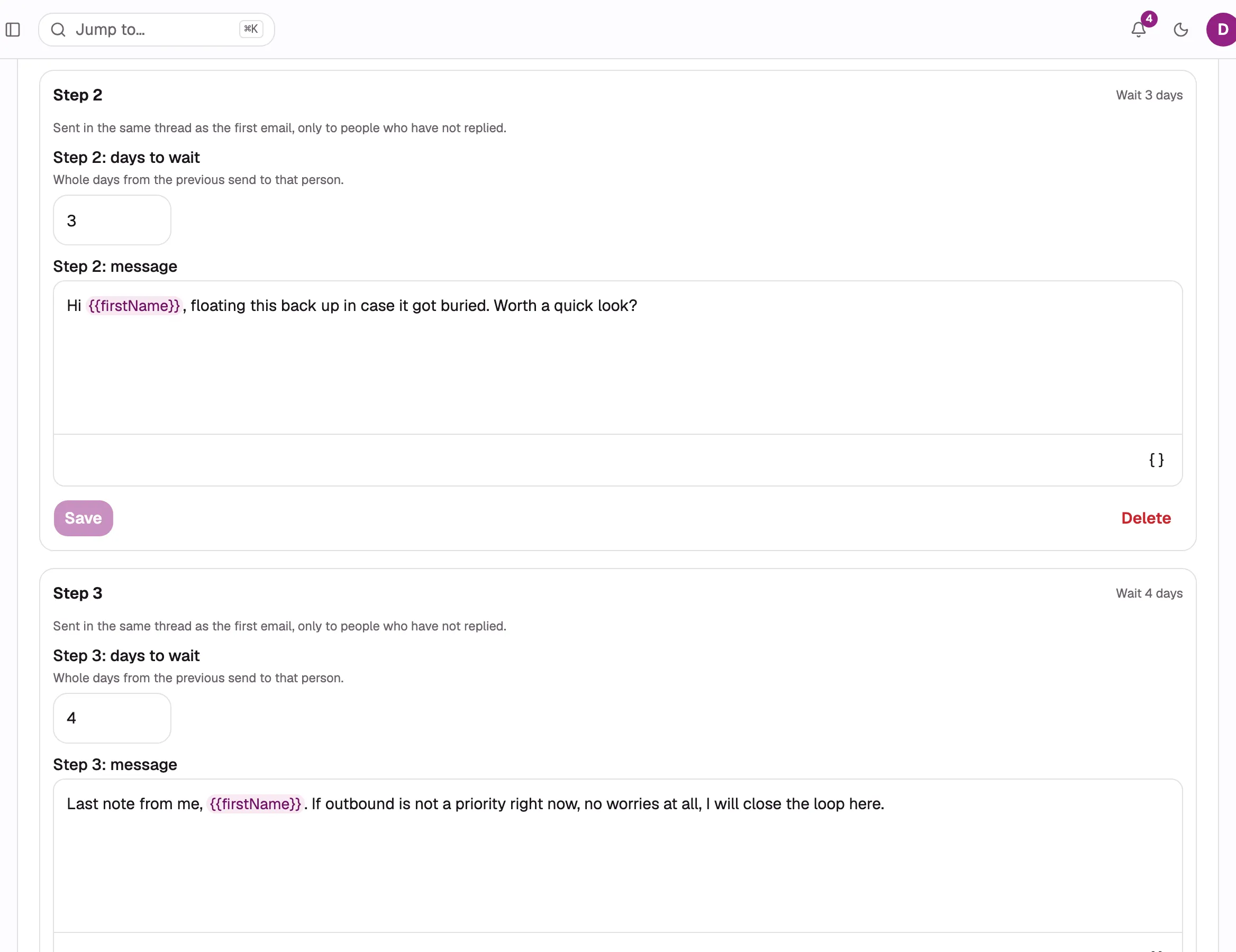
A sequence is the first campaign email followed by timed replies in the same Gmail thread. Follow-ups go only to contacts who have not replied.
Add a follow-up
Section titled “Add a follow-up”- Save the campaign once.
- Open Follow-ups below the message.
- Select Add a follow-up email.
- Set the number of days to wait and write the message.
- Select Save on that follow-up.
Follow-ups are written on a computer. They are read-only on a phone.
The campaign’s first email is Step 1, so the first follow-up is Step 2. You can add up to 8 follow-ups, for 9 messages in total.
How timing works
Section titled “How timing works”Each delay is between 1 and 365 whole days, counted from the previous message sent to that contact. When the wait ends, the follow-up still waits for the sending window, mailbox budget, and campaign pacing.
Two contacts who receive Step 1 on different days also receive later steps on different days.
How threading works
Section titled “How threading works”Every follow-up uses the same mailbox and Gmail thread as the first email. It has no separate subject. Gmail displays it as a reply to the subject that the contact received.
A follow-up stays with the mailbox that sent the first email. To change the campaign’s selected mailboxes, see Choose mailboxes.
ColdMerge does not send a follow-up when it cannot safely recover the thread. The recipient outcome explains whether the first thread was unavailable or a later step could not be threaded.
What stops follow-ups
Section titled “What stops follow-ups”| Event | Result |
|---|---|
| The contact replies | Stops this campaign’s remaining follow-ups for that contact. |
| An automatic reply arrives | Follow-ups continue. |
| The address hard bounces | Stops every live sequence for that contact. |
| The contact unsubscribes or is suppressed | Stops every live sequence for that contact. |
| You cancel the campaign | Stops the sequence for everyone still waiting. |
| A follow-up cannot be delivered or threaded | Stops that contact’s sequence. |
Reply detection is checked again immediately before each follow-up is handed to Gmail. See how reply detection works.
Merge data and editing
Section titled “Merge data and editing”A contact’s merge data is captured when their first message sends. Later edits to that contact do not change their follow-ups.
If a follow-up needs a field that is empty and has no fallback, the default launch choice skips that step. The next step remains eligible after its own delay. Choosing Send anyway, with the tokens empty at launch permits empty tokens in follow-ups too. See the merge token reference.
You can change, add, or delete follow-up steps while the campaign is scheduled, sending, or paused. The current sequence applies to contacts who are still waiting. Completed and cancelled campaigns are read-only.
The first email determines the format for the entire sequence. Formatting a follow-up does not change a plain-text sequence to HTML. Attachments go only with the first email.