
Features
See and control each mailbox's sending budget
Review the current limiting factor, lower a daily cap and choose campaign sending windows before launch.
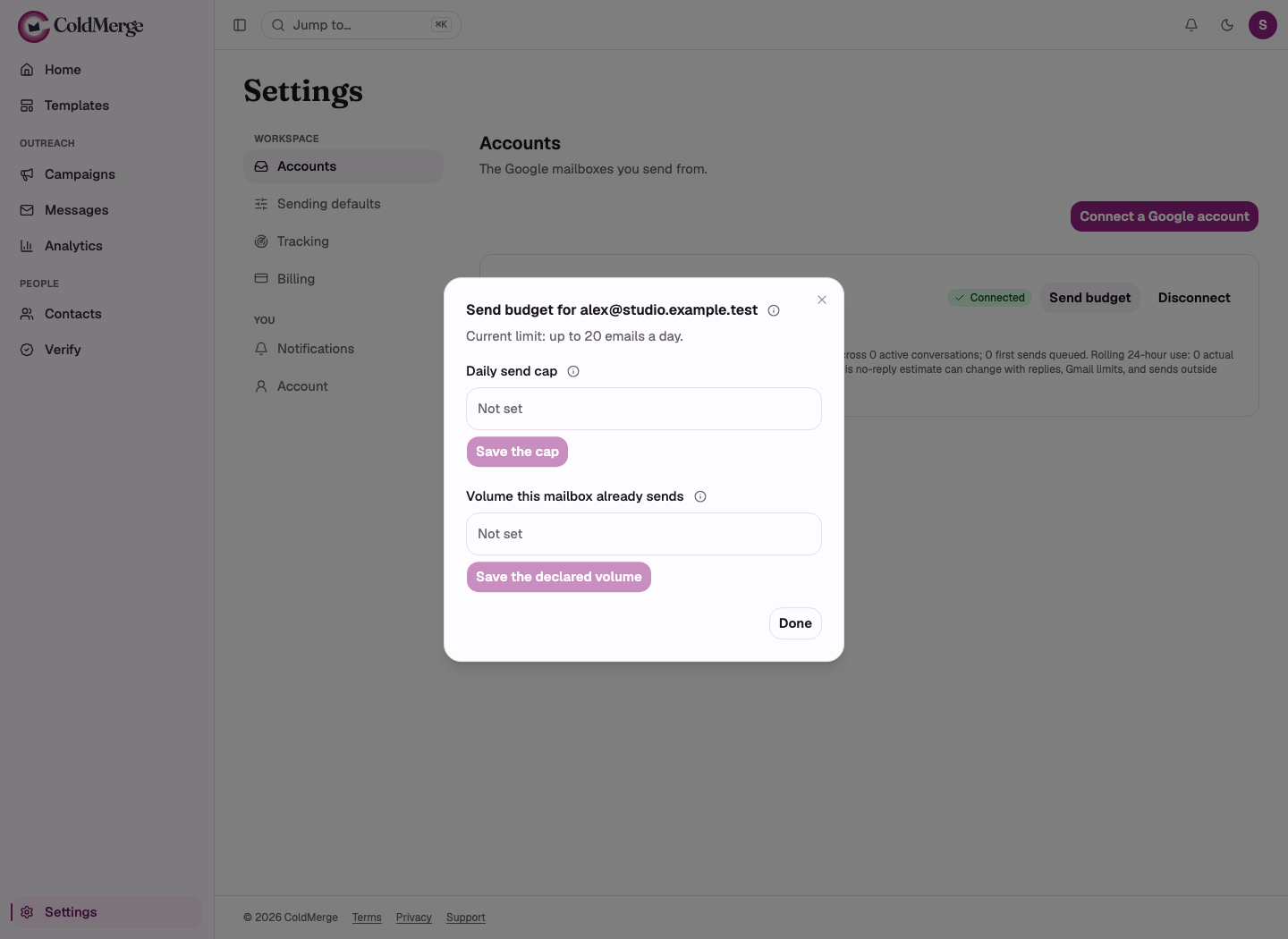
See each connected Gmail mailbox’s available sending budget and which limit is holding it down. Lower your daily cap and choose campaign sending windows in a named timezone.
ColdMerge spreads work through available sending windows. An allowance is a ceiling, not a target.
Read the send-budget reference.
Know why a campaign is waiting
The budget combines connection age, recent sending volume, your daily cap, provider ceilings and applicable trial limits. The account row identifies the current limiting factor.
That makes a lower allowance explainable. Increasing your cap cannot override a tighter ramp-up or provider constraint.
A mailbox’s rolling budget returns as earlier sends leave its counting window. It does not simply refill at local midnight.
Choose the amount and the hours
Organization members can lower a mailbox’s daily send cap. A sending window controls permitted hours, weekdays and timezone for the campaign.
Outside the window, sending waits for the next opening. Inside it, the mailbox still needs available budget and a working connection. A scheduled start makes work eligible; it does not promise an exact send time.
Changing the Organization default window affects newly created campaigns. Existing campaigns keep their own settings.
A realistic planning decision
Write down the workload before changing the cap:
| Item | Illustrative plan |
|---|---|
| Current available slots | 20 |
| Follow-ups due | 6 |
| Preview destinations planned | 2 |
| Slots left for new conversations | At most 12, before other sending or tighter constraints |
| New contacts waiting | 45 |
This arithmetic assumes each planned message consumes one available slot. It is not a scheduler forecast: allowance, due work and connection status can change. Check the sending-window reference before turning the workload into a schedule.

Imagine a new connected mailbox has 20 available sends for the relevant period. A consultant has a list of 45 people and wants to review replies between batches.
She cannot make 45 sends available just by entering a daily cap of 45. The tighter limit still governs. She chooses a suitable window and starts with a smaller cohort.
Follow-ups and successful preview destinations also use budget. She leaves room for those instead of treating the first-email list as the only work.
The list and chosen cap are illustrative. The new-connection allowance is a current product value, not a Google account entitlement.
Gradual sending does not guarantee delivery
A Google account can restrict sending despite the available ColdMerge budget. Your mailbox’s connection age is also different from how long the Google account has existed.
ColdMerge’s free-Gmail ceiling is its own product cap, not Google’s published maximum. Use the reference for exact values rather than combining all connected inboxes into a promised daily total.
Can I make a short window send everything faster?
A shorter window does not remove pacing or budget constraints. Remaining work can carry into the next permitted day.
Set a mailbox cap and choose a sending window before scheduling.
The send-budget reference separates provider ceilings from this product budget.
No card required to start. Invited testers get the same 14-day free trial, and the plan is $0.99 a month if you subscribe.